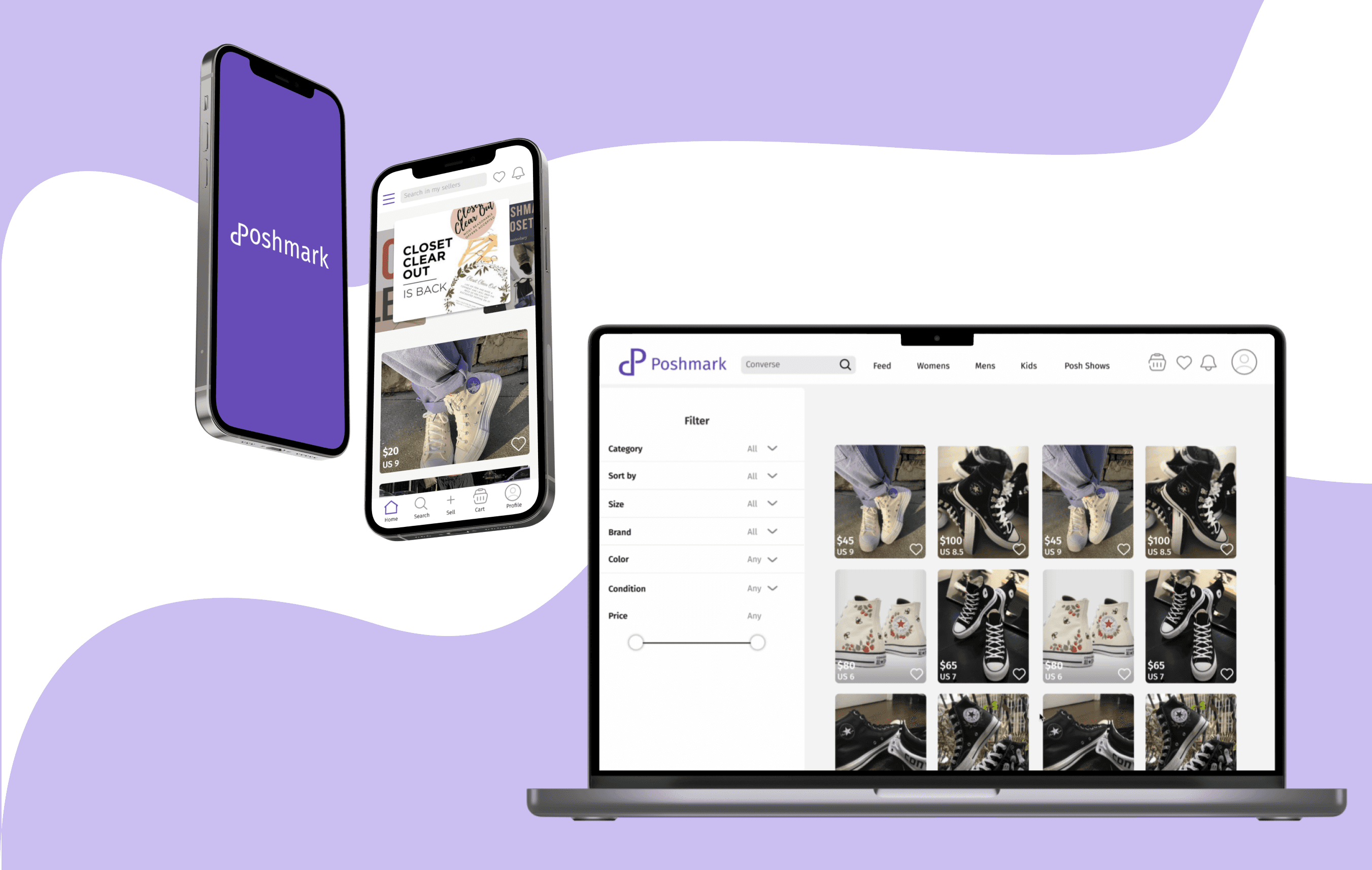
Retaining Poshmark users through design

Timeline

Half a semester

Role

UX Designer

Team

Me!

Tools

Figma

Canva

The Problem

Poshmark is confusing

The Poshmark app is notoriously known for being frustrating and confusing for users to navigate, leading to shoppers preferring other second-hand buying apps like Depop or Mercari over it.

Research

Frustrations expressed in interviews

Through my interviews with three different individuals who partake in second hand buying at different degrees, I identified a plethora of problems and wants users expressed throughout the different ways they shop. Then turned these frustrations into five main questions that will guide the redesign process.

Make it more…

1

Stress-free

Poshmark's interface is inconsistent, hard to navigate, and a headache even for simple tasks

2

easy to lead users to where they want to go

Users are unable to find specific products they want due to poor filtering systems, and too much information in their faces

simple to understand complex features

Students avoid complex features because they don't know how to use them or find them, costing them spots in a class.

3

personalized to user preferences

Users prefer the highly customized suggestions of other apps, stating that Poshmark is a last resort when looking for items

Redesign

Before

User frustrations showcased

Crowded home feed

Feed is not personalized and is immediately crowded with several different features like stories and Poshshows

Crowded home feed

Feed is not personalized and is immediately crowded with several different features like stories and Poshshows

Unscannable menu

Menu in profile is hard to navigate because all of the options start with 'my'

Notifications overloaded

Too much information in the notification center is overwhelming and doesn't show users the information they prioritize

Filters change screens

When filtering the screen takes you elsewhere too much and then requires you go to back each time instead of confirming selection

Filter confirmation unclear

After going through and selecting all your filters it is unclear if its selected, causing users to redo it

Filters change screens

When filtering the screen takes you elsewhere too much and then requires you go to back each time instead of confirming selection

Profile is located in menu

The profile is not its own button and requires searching through menu to access

Profile is located in menu

The profile is not its own button and requires searching through menu to access

No reviews in profile

When in the profile you cant access reviews or purchases, which is where similar apps have them placed

No cart

Users are prompted to buy immediately and the like system is hidden, blocking users from considering their purchases

After

High fidelity screens addressing frustrations

Less searching

Notifications, likes, and menu can now always be found on the top bar throughtout the app

Menu condensed and easy

The menu is now more easily accessed, removed from profile, and is easier to navigate with icons

Cleaner feed

Feed prioritizes user by suggesting only from their sellers/searches, carousel highlighting important seller events, & Poshshows moved

Less searching

Notifications, likes, and menu can now always be found on the top bar throughtout the app

Stay on screen

Filter opens up as a menu overlayed the screen to not disrupt flow, and can be easily swiped up or down

Cart added for convenience

Now users can add to cart without disrupting their shopping, keeping them in the flow of looking for items

Clear experience

Filters are more clearly confirmed and navigated, cards show most important information before and after clicking into item

Stay on screen

Filter opens up as a menu overlayed the screen to not disrupt flow, and can be easily swiped up or down

Profile is more separate

The profile is now its own button instead of being mixed into the menu

One stop spot

Can now view your shop info, followers, likes, purchases, and reviews all in one place

Profile is more separate

The profile is now its own button instead of being mixed into the menu

Redesigning across screens

Translating the new mobile experience onto the desktop

Consistent

Desktop design is consistent with mobile, requiring no learning when switching screens

Open

All information is laid out in the navigation bar, filter side bar, and product population

Clear

Intuitive flows that allow for stress free shopping and browsing

Outcome

Applying theory to real life design challenges

This course taught me UI/UX principles and set me up with the tools to create my own redesign concept from start to finish, using real user frustrations with a popular app.

Consistent

Desktop design is consistent with mobile, requiring no learning when switching screens